Get started
The Ussd API enables you to manage content on your ussd shortcode via the application manager.
To use this API, you need a verified account.
Then you will need to create an account that you will link to a URL of your choice in order to render the correct response.
Application
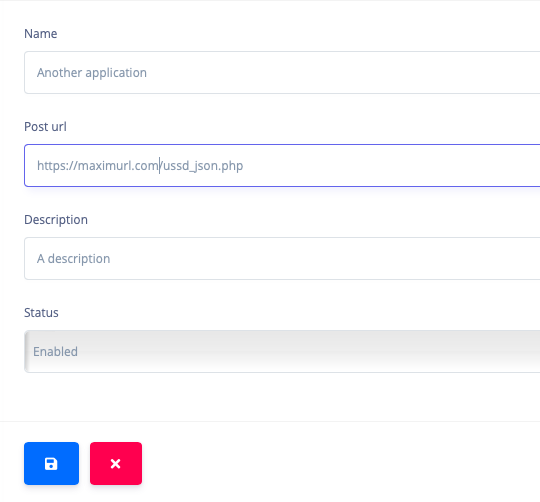
You can create and edit an application to point traffic to your URL.
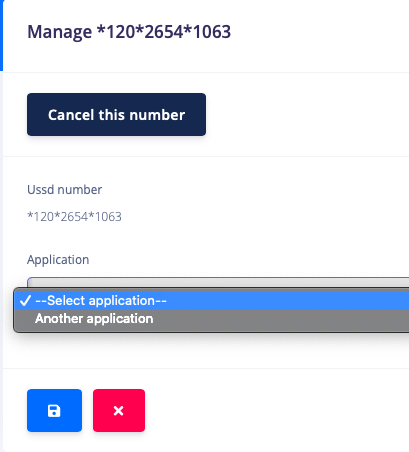
Then you can link your purchased shortcode to the application
Post URL/Web hook
# Here is a curl example
curl \
-X POST http://example-post.com/post \
-H 'Content-Type: application/json' \
-H 'Accept: application/json'
The following parameters will be sent (POST) to your web hook url.
POST example :

        {
            "sessionid":"uieurnf004398498454",
            "shortcode":"*120*2654*1553#",
            "messageString":"*120*2654*1553#",
            "mobileNetwork":"Vodacom",
            "msisdn":"27826811266"
        }
JSON Content
| Field | Type | Description |
|---|---|---|
| sessionid | String | The USSD provider's unique session id |
| shortcode | String | The shortcode dialed by the user |
| messageString | String | The user's input |
| mobileNetwork | String | The user's mobile network |
| msisdn | String | The user's cellphone number |
The following json should be returned by your web hook url.
Json response example :

        {
            "getInput":"true",
            "menuText":"Hello world. This is my first USSD application",
            "code":"200",
            "msisdn":"27826811266"
        }
JSON Response
| Field | Type | Description |
|---|---|---|
| getInput | Boolean | Whether the USSD screen should accept input or not |
| menuText | String | The message (160 characters Max) to be displayed on the user's screen |
| code | Number | The API response code. (200 for success) |
| msisdn | String | The user's cellphone number |